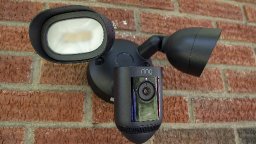
Arcitech Logistics provides professional security camera installation services throughout the Atlanta metro area, covering Gwinnett County, DeKalb County, Cobb County, Fulton County, and Forsyth County. Since 2015, we've been securing homes and businesses with expertly installed surveillance systems. Our certified technicians handle all types of security camera installations, from simple wireless doorbell cameras to comprehensive multi-camera systems with network video recorders, ensuring proper placement, reliable operation, and clear video coverage of your property.
Modern security cameras provide critical protection for Atlanta homeowners and business owners, deterring crime, recording evidence, enabling remote monitoring, and providing peace of mind. Professional installation ensures cameras are positioned strategically, wired reliably (for wired systems), configured correctly, and accessible via smartphone apps for real-time monitoring from anywhere. Our team understands camera technologies, network requirements, storage options, and local security concerns specific to the Atlanta area.
We serve residential and commercial clients throughout the greater Atlanta area, including Lawrenceville, Duluth, Marietta, Alpharetta, Cumming, Roswell, Johns Creek, Sandy Springs, Decatur, Smyrna, Stone Mountain, Tucker, Snellville, Lilburn, Norcross, Peachtree Corners, Sugar Hill, Buford, Suwanee, and Dacula. Our comprehensive service area covers all five counties, delivering consistent, professional security camera installation services across the entire metro Atlanta region.
Why Choose Arcitech Logistics
Professional System Design: We don't just mount cameras randomly—we design coverage patterns eliminating blind spots, positioning cameras at optimal heights and angles, and selecting appropriate focal lengths for viewing distances.
Certified Installation Expertise: Our technicians are trained in security camera installation, network configuration, PoE systems, and proper cable routing. We understand technical requirements and best practices.
Quality Equipment Selection: We guide you toward reliable camera brands with good mobile apps, responsive customer support, and proven durability. Not all cameras are equal—we've seen what works and what fails.
Clean Professional Installation: We route cables inside walls when possible, use external conduit for exposed sections, secure cables properly, and seal all penetrations weatherproof. Installation looks professional, not amateur DIY.
Network Expertise: Modern cameras are network devices requiring proper IP configuration, port forwarding, bandwidth management, and security settings. We handle complex network setup ensuring reliable remote access.
Privacy and Security: We configure strong passwords, enable encryption, use HTTPS connections, and explain security best practices. Your camera system won't become a vulnerability.
Complete System Testing: We don't leave until everything works—every camera displays clearly, motion detection triggers properly, remote access functions, and you're comfortable operating the system.
Thorough Customer Training: We provide hands-on training ensuring you can view cameras, search recordings, save clips, and adjust settings. You'll be confident using your security system.
Ongoing Support: Questions after installation? System not working properly? We provide technical support and can return for service calls as needed.
Local Business: We're based in metro Atlanta, familiar with local security concerns, responsive to service needs, and committed to customer satisfaction in our community.
Requirements
Before Consultation:
- Think about what areas you want monitored (entrances, driveway, backyard, etc.)
- Note any security concerns or previous incidents
- Consider whether cloud or local storage is preferred
- Review your internet bandwidth (camera systems use data)
- Verify WiFi coverage in areas where cameras will be installed
- Consider whether 24/7 recording or motion-only is desired
- Think about viewing preferences (smartphone, TV, computer)
Before Installation Day:
- Purchase approved camera system or authorize us to order
- Verify all equipment has been delivered
- Ensure WiFi network is working properly
- Have WiFi network name and password available
- Clear access to router location
- Verify power outlets available near camera locations or NVR location
- Clear access paths to attic or crawl spaces if wire routing needed
- Secure pets during installation day
- Be available during installation for location decisions and training
Network Requirements:
- Minimum 10 Mbps upload speed for cloud camera systems (25+ Mbps recommended)
- Router should be centrally located for WiFi camera coverage
- Ethernet cable access to router for NVR systems
- Available router ports or network switch for multiple cameras
- Stable internet connection (cameras will not record to cloud during outages)
- Consider upgrading internet plan if current bandwidth is limited
Services Provided
1. Wireless Security Camera Systems - Battery-powered or plugin WiFi cameras with cloud or local storage, ideal for renters or locations without wiring access
2. Wired PoE Camera Systems - Power over Ethernet cameras powered through network cable, most reliable option for permanent installations
3. DVR Security Camera Systems - Digital Video Recorder systems using coaxial cable (BNC connections), traditional proven technology
4. NVR Security Camera Systems - Network Video Recorder systems using IP cameras via Ethernet, modern high-resolution systems
5. Video Doorbell Installation - Smart doorbells with integrated cameras, motion detection, and two-way communication
6. Outdoor Security Cameras - Weatherproof cameras for monitoring yards, driveways, entrances, and perimeters
7. Indoor Security Cameras - Interior cameras for monitoring rooms, hallways, and common areas
8. Pan-Tilt-Zoom (PTZ) Cameras - Motorized cameras that rotate and zoom for wide area coverage with detailed zoom capability
9. Bullet Cameras - Cylindrical weatherproof cameras ideal for long-distance viewing and deterrent effect
10. Dome Cameras - Vandal-resistant dome housings suitable for indoor or outdoor installation
11. Turret Cameras - Eyeball-style cameras with adjustable viewing angle, balance between dome and bullet designs
12. 4K Ultra HD Camera Systems - High-resolution systems capturing exceptional detail for identification and evidence
13. Night Vision Cameras - Infrared cameras providing clear video in complete darkness up to 100+ feet
14. Color Night Vision Cameras - Advanced cameras maintaining color video in low-light conditions using spotlights or starlight sensors
15. Smart Detection Cameras - AI-powered cameras distinguishing people, vehicles, animals, and packages to reduce false alerts
16. Floodlight Security Cameras - Cameras integrated with motion-activated floodlights for illumination and deterrence
17. Dual-Lens Cameras - Cameras with two lenses providing wide-angle overview plus zoom detail simultaneously
18. License Plate Recognition (LPR) Cameras - Specialized cameras optimized for capturing license plates day and night
19. Discreet/Hidden Cameras - Small inconspicuous cameras for covert monitoring when needed
20. Business Security Systems - Multi-camera professional systems with advanced features for commercial applications
21. Farm and Large Property Systems - Long-range cameras with solar power options for monitoring large acreages
22. Baby Monitors and Nanny Cams - Indoor monitoring systems for childcare observation
23. Two-Way Audio Cameras - Cameras with built-in speakers and microphones for communication
24. Cloud Storage Camera Systems - Systems storing video in secure cloud services with app access anywhere
25. Local Storage Camera Systems - Systems storing video on hard drives or SD cards for privacy and no monthly fees
What's Included
Initial Consultation and System Planning:
- On-site property assessment and security needs evaluation
- Walk property perimeter identifying vulnerable areas
- Discuss monitoring goals, features, and system type preferences
- Evaluate existing network infrastructure and power availability
- Discuss storage preferences (cloud vs. local) and recording modes
- Provide detailed written estimate with equipment list
System Design and Equipment:
- Camera placement diagram showing all camera locations
- Coverage area mapping and blind spot identification
- Calculate cable runs and network switch requirements for wired systems
- Select appropriate NVR/DVR with adequate storage capacity
- Order, verify, and inspect all equipment before installation
Camera Mounting and Physical Installation:
- Professional mounting at all planned camera locations
- Secure bracket installation with appropriate anchors for all siding types
- Precise camera aiming and angle optimization
- Cable routing with clips, conduit, and weatherproof sealing
- Full installation documentation with photographs
NVR/DVR Setup and Network Configuration:
- NVR/DVR positioned in secure, ventilated location
- Complete network setup including IP configuration and remote access
- Camera naming by location and recording settings configuration
- Motion detection zones and sensitivity adjustment
- Push notifications and email alert setup
Mobile App Setup and Remote Access:
- App installation and account creation on customer's smartphone
- All cameras added and verified in app
- Notification preferences and schedules configured
- Remote access tested over cellular data
- Additional user accounts configured if desired
System Testing and Customer Training:
- Complete system walkthrough and field-of-view verification
- Night vision and two-way audio testing
- Video quality and timestamp verification
- Comprehensive hands-on operation training
- Written documentation of system configuration, passwords, and warranty information
Specifications & Safety
Camera Resolution Options:
- 1080p (2MP): Standard HD, adequate for most home security, clear identification from 10-20 feet
- 4MP: Good mid-range option with increased detail over 1080p
- 4K (8MP): Highest detail, 4x resolution of 1080p, recommended for large areas and license plates
- 1080p recommended for most residential use; 4K for priority cameras or large properties
Night Vision Specifications:
- Standard IR Night Vision: 30-100+ feet range depending on camera model (black and white image)
- Color Night Vision (Starlight): Maintains color in low-light using sensitive sensor
- Color Night Vision (Spotlight): Activates white LED light when motion detected for full color video
- IR illumination wavelength: 850nm (visible red glow) or 940nm (completely invisible)
PoE Camera System Requirements:
- Cat5e or Cat6 Ethernet cable (up to 328 feet per run)
- PoE switch or PoE NVR providing 15W (802.3af) or 30W (802.3at) per camera port
- NVR hard drive: 1TB-8TB+ depending on camera count and retention needs
- Network: 100Mbps+ LAN for local viewing; 10Mbps+ upload for remote access
Wireless Camera Requirements:
- 2.4GHz or 5GHz WiFi coverage at camera locations
- Minimum WiFi signal strength: -65dBm or better at camera location
- Upload bandwidth: 1-2 Mbps per camera for cloud recording
- Power: Outlet within 6 feet for plug-in cameras, or battery capacity 3-6 months
DVR System Specifications:
- Coaxial cable (RG59 or RG6) up to 1,500 feet per camera
- BNC connectors at camera and DVR
- CVBS, HD-TVI, HD-CVI, or AHD analog signal formats
- Hard drive: SATA 3.5-inch surveillance-grade drive recommended
Storage Calculations:
- 1080p 24/7: ~20-25 GB/day per camera
- 4K 24/7: ~40-60 GB/day per camera
- Motion-only: ~2-5 GB/day typical
- 1TB = approximately 7-10 days of 1080p recording from 4 cameras
Additional Charges
Network Configuration and Port Forwarding - $75-$150: Complex network setup, configuring router port forwarding for remote access, setting up VPN access, or integrating with complex network infrastructure.
Extensive Cable Fishing Through Walls - $95-$225: Running Cat6 or coaxial cable through walls, attic spaces, or finished areas. Charged per cable run based on complexity and distance.
External Conduit Installation - $4-$8 per linear foot: Installing PVC conduit along building exterior to protect and conceal wiring. Includes conduit, fittings, mounting, and painting if requested.
Network Switch or PoE Switch Installation - $125-$275: Installing network switch when router lacks sufficient ports or adding dedicated PoE switch for powering multiple cameras. Includes switch, Ethernet cables, and configuration.
Additional Hard Drive Storage - $85-$225: Upgrading NVR hard drive capacity beyond included storage. Price varies with drive size (2TB, 4TB, 6TB, 8TB+).
Drywall Repair and Painting - $75-$175: Repairing walls after cable fishing, patching holes, sanding, painting to match existing wall color. Charged per affected area.
High Installation Locations - $75-$150 per camera: Cameras requiring extension ladder setup or installation above standard 12-foot reach. Safety equipment and extra labor time required.
Solar Panel Power Installation - $175-$325 per camera: Installing solar panels for battery cameras in locations without electrical access. Includes solar panel, mounting, and wiring.
Monitor and HDMI Setup - $95-$175: Installing dedicated monitor for viewing security cameras, including monitor mounting, HDMI cable routing, and system configuration.
Cloud Storage Subscription Setup - Varies by service: Many wireless cameras require monthly cloud storage subscriptions ($3-$20/month per camera). We can set up subscriptions but monthly fees are ongoing customer expense.
Integration with Smart Home Systems - $125-$275: Integrating cameras with Alexa, Google Home, SmartThings, or comprehensive smart home systems. Includes device setup, app configuration, and testing.
Commercial Installation - Custom quote: Business installations often require more cameras, higher-end equipment, vandal-resistant housings, multiple viewing stations, and more complex setup.
After-Hours or Weekend Installation - 25-50% surcharge: Installation outside normal business hours charged at premium rate.
Our Professional Process
Step 1 - Initial Consultation: Contact customer to schedule on-site consultation. Visit property to assess security needs, walk perimeter identifying vulnerable areas, discuss monitoring goals and system preferences, evaluate network infrastructure and power availability.
Step 2 - System Design: Create camera placement diagram showing all locations with coverage areas. Identify blind spots and solutions. Calculate cable runs. Select appropriate NVR/DVR storage capacity and camera models for each location. Order and verify all equipment.
Step 3 - Pre-Installation Preparation: Verify WiFi password and router location. Plan cable routing paths. Confirm electrical outlet locations. Contact customer day before to confirm appointment. Verify weather appropriate for outdoor installation.
Step 4 - Camera Mounting: Technician arrives within scheduled window. Review locations with customer. Mount cameras using appropriate anchors for siding type. Aim cameras and lock position. Route Cat6 or coaxial cable. Seal all penetrations weatherproof.
Step 5 - NVR/DVR Setup: Position recorder in secure ventilated location. Connect to network and power. Configure system date, time, and zone. Name cameras by location. Configure recording settings and motion detection zones.
Step 6 - Mobile App and Remote Access: Download app on customer's smartphone. Create account and add cameras. Configure notifications and schedules. Enable two-factor authentication. Test live viewing and playback over cellular data.
Step 7 - System Testing: Walk through property triggering motion detection. Verify alerts received promptly. Check for false alerts and adjust zones. Test night vision after dark. Verify two-way audio. Confirm all cables secured and concealed.
Step 8 - Customer Training: Provide comprehensive operation training covering live viewing, recording playback, clip export, and settings adjustment. Provide written documentation including passwords, camera locations, and warranty information.
Preparation
Before scheduling your security camera installation, please prepare the following:
1. Identify monitoring priorities: Make a list of areas you want monitored (front door, driveway, backyard, garage, side gates) and any specific security concerns or previous incidents at your property.
2. Check your internet speed: Run a speed test at speedtest.net. Note your upload speed—cloud camera systems need minimum 10 Mbps upload (25+ Mbps recommended for multiple cameras). Local NVR systems don't require fast internet for recording.
3. Locate your router: Know where your internet router is located and have your WiFi network name and password ready. For wired NVR systems, we'll need Ethernet access to your router.
4. Assess power availability: Verify electrical outlets are available near planned camera locations or where the NVR will be installed. Battery or solar cameras don't require outlets.
5. Consider your budget and preferences: Research whether you prefer wireless cameras (easier install, possible monthly fees) or wired PoE cameras (more reliable, no monthly fees, higher upfront cost). We can advise during consultation.
6. Plan access: Ensure attic access is available if needed for wire routing. Clear paths to router, electrical panels, and crawl spaces.
7. Secure pets: Plan to secure pets on installation day for technician safety and efficient work.
8. Purchase or authorize equipment: Either purchase the approved camera system before installation or authorize us to order on your behalf. Verify all shipments received before installation day.
Testing & Quality Assurance
Complete Camera Coverage Test: Walk entire property triggering motion detection at each camera location. Verify each camera captures intended area with no critical blind spots. Confirm camera angles cover entry points, high-value areas, and vulnerable locations.
Video Quality Verification: Review live video from each camera for image clarity, color accuracy, and proper exposure in current lighting conditions. Verify no obstructions in camera field of view.
Night Vision Test: After dark, verify infrared illumination provides adequate visibility at expected monitoring distances. Check for IR glare or reflections from nearby surfaces. Test color night vision if applicable.
Motion Detection Test: Walk through monitored areas and verify push notifications received promptly on customer's smartphone. Check for false alerts from trees, shadows, or passing cars. Adjust motion zones and sensitivity to eliminate false positives.
Remote Access Test: Verify live camera viewing through smartphone app over cellular data (not WiFi). Confirm all cameras are accessible remotely. Test video playback of recorded footage. Verify notifications work remotely.
Two-Way Audio Test: For cameras with intercom features, test audio clarity in both directions. Verify microphone and speaker functioning correctly.
Recording Verification: Confirm cameras are recording per configured schedule (24/7 or motion-activated). Verify recordings can be played back and footage is clear. Check timestamp accuracy.
Storage Health Check: Verify NVR hard drive operating normally. Confirm storage capacity adequate for desired retention period. Test video export to USB drive.
App and Account Verification: Confirm all cameras visible in app, notifications configured correctly, and additional user accounts set up. Verify two-factor authentication enabled.
Fulton County: Atlanta, Alpharetta, Roswell, Sandy Springs, Johns Creek, Milton, East Point, College Park, Fairburn, Hapeville, Mountain Park, Union City
Forsyth County: Cumming
Coverage Details
Arcitech Logistics provides professional security camera installation throughout the entire Atlanta metro area. We serve residential homes, businesses, farms, and commercial properties across five counties:
Gwinnett County: Lawrenceville, Duluth, Norcross, Lilburn, Snellville, Grayson, Loganville, Dacula, Buford, Suwanee, Sugar Hill, Peachtree Corners, Berkeley Lake, Braselton
Fulton County: Atlanta, Alpharetta, Roswell, Sandy Springs, Johns Creek, Milton, East Point, College Park, Fairburn, Hapeville, Union City
Forsyth County: Cumming and surrounding communities
Our security camera service area encompasses all suburban communities, rural areas, and neighborhoods throughout these five counties. We serve both urban Atlanta properties and rural farm/large property installations. Contact us to confirm service availability in your specific location.
Frequently Asked Questions
Q: Should I choose wireless or wired security cameras?
A: Both have advantages. Wireless cameras (Ring, Arlo, Blink) are easier to install, work with minimal infrastructure, and relocate easily. However, they depend on WiFi, require charging or battery replacement, and often require monthly cloud storage subscriptions. Wired cameras (PoE IP cameras or coax DVR systems) provide 100% reliable connection, never need charging, don't require WiFi, and often include free local storage with no monthly fees. For most permanent home installations, wired PoE camera systems provide best reliability and value long-term. Wireless cameras work well for renters, temporary installations, or hard-to-wire locations.
Q: How much bandwidth do security cameras use?
A: A single 1080p camera streaming continuously uses approximately 1-2 Mbps upload bandwidth. For a 4-camera system, expect 4-8 Mbps upload needed. Higher resolution 4K cameras use 3-5 Mbps each. Check your upload speed at speedtest.net. PoE or DVR systems recording locally don't use internet bandwidth continuously—only when you view remotely.
Q: How much video storage do I need?
A: A 1080p camera recording 24/7 uses approximately 20-25 GB per day. For 30 days of footage from 4 cameras recording 1080p 24/7, you need about 3-4 TB storage. Motion-activated recording dramatically reduces storage needs—often 1/10th of continuous recording. We help calculate actual storage needs based on your specific cameras and recording preferences.
Q: Will security cameras work when the internet is out?
A: Cloud cameras (Ring, Nest, Arlo) require internet for live viewing and cloud recording. When internet is down, they typically don't record. Local NVR/DVR systems continue recording to hard drive when internet is down—you just can't view remotely until connection restores. For maximum reliability, wired NVR systems with local storage are best.
Q: Can I access security cameras when away from home?
A: Yes, remote access is standard via smartphone apps. Cloud cameras provide automatic remote access worldwide. NVR/DVR systems require router port forwarding configuration or manufacturer's P2P service setup—we handle this during installation. Test remote access over cellular data during installation day.
Q: Do security cameras require monthly fees?
A: Depends on camera type. Cloud cameras (Ring, Nest, Arlo, Blink) often require monthly subscriptions for video recording ($4-$30/month per location). Local NVR/DVR systems (Reolink, Lorex, Amcrest) have no monthly fees—cameras record to included hard drive with free local storage. When choosing, consider long-term costs—four cloud cameras cost $192-$960/year ongoing while an equivalent PoE system pays for itself in 1-2 years.
Q: Can security cameras be hacked?
A: Cameras can be hacking targets if improperly secured. Protection methods: use strong unique passwords, enable two-factor authentication, keep firmware updated, use HTTPS connections, buy from reputable brands, and isolate cameras on a separate network. We configure security settings during installation and provide security guidance.
Q: Are security cameras weatherproof for Atlanta's climate?
A: Quality outdoor cameras rated IP65 or IP66 handle Atlanta weather fine—rain, humidity, heat, and cold. Mount under soffits or eaves when possible for additional protection. Quality cameras (Reolink, Amcrest, Lorex, Hikvision) designed for outdoor use will last 5-10 years in Atlanta climate. Cheap cameras may fail within 1-2 years.
Q: What maintenance do security cameras require?
A: Clean camera lenses quarterly with microfiber cloth. Check camera positioning and verify mounts semi-annually. Inspect cable connections annually for corrosion. Test night vision annually. Spot-check recordings monthly. Update firmware when available. Check NVR hard drive health monthly. Most maintenance tasks take just minutes but ensure system reliability and longevity.
Service Areas
We provide Professional Security Camera Installation in Atlanta Metro Area throughout the Atlanta Metro area including:
Gwinnett County
Lawrenceville
Duluth
Suwanee
Buford
Norcross
Lilburn
Snellville
DeKalb County
Decatur
Dunwoody
Tucker
Stone Mountain
Chamblee
Brookhaven
Cobb County
Marietta
Smyrna
Kennesaw
Acworth
Powder Springs
Austell
Fulton County
Atlanta
Alpharetta
Sandy Springs
Roswell
Johns Creek
Milton
Forsyth County
Cumming
Suwanee
Contact Information
Ready to secure your property with professionally installed security cameras? Contact Arcitech Logistics for expert camera installation throughout the Atlanta metro area.
Serving Gwinnett County, DeKalb County, Cobb County, Fulton County, and Forsyth County since 2015. Free consultations and competitive system quotes. Call now to schedule your security camera installation!
Next Steps
Step 1 - Contact Us: Call (678) 656-9246 or email arcitechlogistics@gmail.com to discuss your security camera needs and schedule a free on-site consultation.
Step 2 - Free Consultation: We visit your property to assess security needs, walk the perimeter, identify camera locations, evaluate network infrastructure, and provide a detailed written estimate with recommended equipment list.
Step 3 - Equipment Decision: Review our recommendations and either purchase approved equipment yourself or authorize us to order. We'll coordinate delivery timing with your installation schedule.
Step 4 - Schedule Installation: Once equipment is confirmed, schedule installation day. We'll contact you the day before to confirm appointment and answer any last-minute questions.
Step 5 - Professional Installation: Our certified technician arrives on time, reviews final camera placement with you, professionally installs all cameras and equipment, configures the complete system, and sets up your smartphone app.
Step 6 - System Training: Before leaving, we provide comprehensive hands-on training covering live viewing, playback, alerts, and all system features. We provide written documentation of your system configuration.
Step 7 - Ongoing Support: Contact us anytime with questions. We offer follow-up visits, system expansions, maintenance services, and troubleshooting support to keep your system operating optimally.
Ready to Book?
Call or text us — we're available Mon–Sat, 8am–6pm.
Thank you for choosing Arcitech Logistics for your security camera installation!
Professional security camera installation ensures optimal coverage, reliable operation, and peace of mind knowing your property is properly monitored. Our experienced technicians will design a system meeting your specific security needs.
Before consultation:
- Think about areas you want monitored
- Note any specific security concerns
- Check your internet upload speed (speedtest.net)
- Consider whether you prefer monthly fees or one-time purchase
- Have your WiFi password ready
During installation:
- We'll mount cameras at optimal locations
- All wiring will be neat and professional
- Network and remote access will be configured
- Mobile app will be set up on your phone
- Complete hands-on training provided
After installation:
- Test the app and familiarize yourself with features
- Adjust motion zones if receiving too many alerts
- Keep camera lenses clean for best image quality
- Update firmware when available
- Contact us if any issues arise
Questions before your consultation? Call us at (678) 656-9246
We look forward to securing your property with professional security camera installation!
Arcitech Logistics
Security Camera Installation Experts Since 2015
Ready to Schedule Your Professional Security Camera Installation in Atlanta Metro Area?
Same-day service available across the Atlanta Metro area. Licensed & insured — satisfaction guaranteed.